§ MERCHANT PAIN
How to increase Shopify conversion rate in 2026
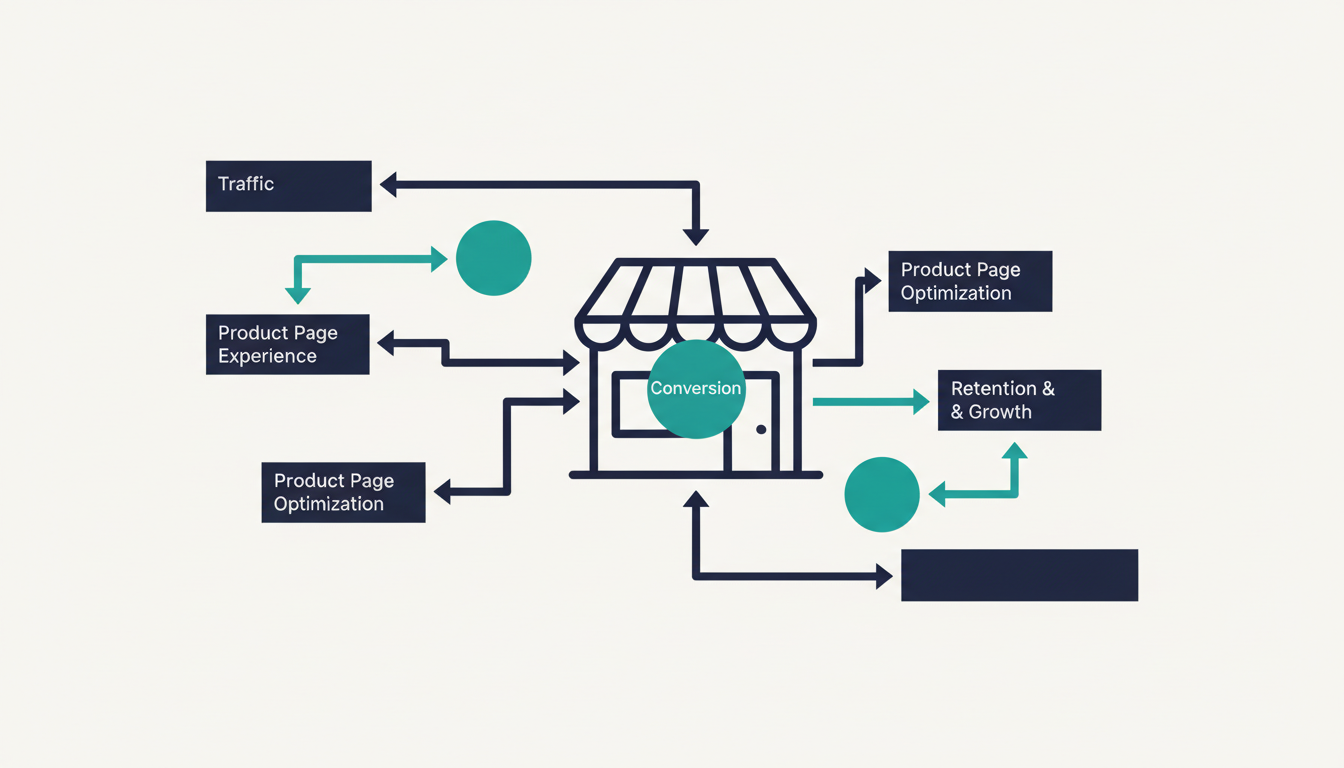
How to increase Shopify conversion rate: run this diagnostic tree first, then apply ten fixes ranked by lift — from mobile UX to checkout friction to AI.
ShopShift runs autonomous CRO on your store — start free.
Shopify conversion optimization — the work of turning more of your existing visitors into buyers — costs anywhere from $0 (pure DIY) to $30,000 a month (agency retainer). Most stores convert at 1.4–1.8%. This post covers what a good rate looks like, what each approach costs as of September 2026, and which fixes are worth the effort.
TL;DR
- A "good" Shopify conversion rate in 2026 is 1.4%–3.3% depending on category. Below 1% means something specific is broken; above 3.3% the cheap wins are already taken.
- Shopify conversion optimization comes in four flavours with very different price tags: DIY ($0–$300/mo in app fees), testing apps ($99–$1,999/mo), agencies and consultants ($3,000–$30,000/mo), and autonomous tools ($99–$500/mo). Full comparison table below.
- Diagnose before you fix. Run the seven-question tree before touching the storefront — the wrong fix on the wrong bottleneck burns a week for nothing.
- Fixes ranked by typical lift: mobile UX (+15–40%), hero clarity (+8–20%), checkout friction (+10–25%), trust signals (+5–15%), page speed (+1–3% per 100ms), product-page distraction removal (+3–10%).
- Ship one change at a time. Two changes in the same week and you cannot attribute the lift.
- When manual work plateaus — and it does, usually after three or four fixes — the remaining gains live where checklists cannot see. That is the gap autonomous conversion optimization was built for, and we include a real before/after from our own test data below.
What counts as a good Shopify conversion rate?
There is no single healthy number, because a $1,200 sofa and a $19 phone case do not convert on the same timeline. Compare against your own category, not a sitewide average. Benchmarks below are updated for Q3 2026:
| Industry | Median Shopify CVR (Q3 2026) | Top quartile |
|---|---|---|
| Apparel + accessories | 1.7% | 3.2% |
| Beauty + skincare | 2.2% | 4.1% |
| Food + beverage | 2.9% | 4.7% |
| Health + supplements | 2.3% | 4.2% |
| Home + furniture | 0.9% | 2.1% |
| Jewellery | 0.9% | 2.5% |
| Electronics | 1.2% | 2.4% |
| Pet supplies | 2.5% | 4.4% |
| Sports + outdoors | 1.5% | 2.9% |
| Toys + hobbies | 1.8% | 3.3% |
Ranges aggregated from Littledata's mid-2026 dataset, Shopify's published benchmark report, and Baymard Institute checkout-usability research. Treat each band as approximate — traffic source, AOV, and geography move you within it.
Three patterns to hold in mind while reading the table:
- Higher AOV usually means lower CVR. Furniture and jewellery convert slowly because the decision takes weeks. A 0.9% rate on a $1,200 average order is a healthier business than 3% on $19 orders.
- Mobile CVR runs 30–50% below desktop in every category. If yours are close together, one of them is an outlier — figure out which before assuming you are fine.
- Segment before you judge. A 2% sitewide rate built from 4% paid and 1% organic is a completely different store than a flat 2% from one channel. The blended number hides the diagnosis.
What Shopify conversion optimization costs in 2026
Before choosing fixes, choose an approach — because the economics differ by two orders of magnitude. Prices below are current as of September 2026 and drawn from published pricing pages and agency rate cards:
| Approach | Typical cost | Time to first measurable result | Best fit |
|---|---|---|---|
| DIY (theme edits + analytics) | $0–$300/mo in app fees | 1–4 weeks per change | Stores under $30k/mo where founder time is cheaper than cash |
| A/B testing apps (Intelligems, Convert, VWO, Shoplift) | $99–$1,999/mo | 2–6 weeks per test | Stores with a person who can design and run tests |
| CRO agency or consultant | $3,000–$30,000/mo retainer, 3–6 month minimum | 4–12 weeks | Stores above $250k/mo where a 5% lift covers the retainer |
| Autonomous tools (ShopShift, Mida.so, Visually.io) | $99–$500/mo | 1–2 weeks, then continuous | Stores $20k–$250k/mo without a dedicated CRO hire |
The math that matters: an agency retainer only pays back when your revenue base is large enough that a modest relative lift covers it. At $50k/mo, a $8,000 retainer needs a durable 16% lift just to break even — rare after the obvious problems are gone. Testing apps are cheap but assume someone on your team forms hypotheses, builds variants, and interprets significance. Autonomous tools price like an app and run the whole loop unattended; whether that trade suits you depends on how much of the DIY list below you have already exhausted.
The diagnostic tree — start here
The most expensive mistake merchants make is applying fixes from listicles before knowing what is broken. Work through these seven questions in order; the first "yes, this is broken" is your real bottleneck.
1. Is your traffic real? In Shopify Analytics or GA4, filter direct traffic and check average session duration. If most direct sessions last under 5 seconds, bots are inflating your denominator and your conversion rate is fiction. Fix this before trusting any other number.
2. Where does the funnel leak? Map homepage → collection → product page → cart → checkout → thank-you. The single biggest drop is the real bottleneck. If 80% leave on the product page, cart and checkout tweaks are downstream of the actual problem.
3. Is mobile broken? Test on a physical phone, not Chrome's emulator. Find a product, add it, check out. If any step needs more than two taps or one scroll, mobile is the bottleneck — and with 60–75% of 2026 traffic on mobile, a broken mobile experience is a broken store.
4. Do carts die before checkout? Compare add-to-cart events against begin-checkout events. A drop above 50% almost always means one thing: shipping costs revealed too late. Surface them on the product page or add a free-shipping threshold banner.
5. Does checkout actually complete? Run a real end-to-end purchase weekly on Chrome desktop, Safari mobile, and one in-app browser (Instagram or TikTok). Something always breaks quietly — Apple Pay failing silently, a BNPL provider declining certain countries, an in-app browser blocking a payment cookie.
6. Can a stranger describe your store in 5 seconds? Show your homepage to someone new for five seconds, then cover it. If they cannot say what you sell, who it is for, and why buy here, the hero is the bottleneck. This is the single most common failure on stores under $20k/mo.
7. Are trust signals above the fold on product pages? Without scrolling: star rating with review count, a clear shipping promise, a returns mention, payment icons. Any missing element is your next fix.
The fixes, ranked by typical lift
Once the diagnostic names the bottleneck, the fix comes from this list. Ranges are approximate — the lift scales with how broken the surface was.
Mobile UX overhaul (+15 to +40%). The largest single unlock for stores under $50k/mo. Concretely: tap targets at 44×44 pixels minimum, a sticky add-to-cart bar on long product pages, image galleries that swipe without hijacking page scroll, and the checkout button where a thumb naturally rests. Themes handling this well in late 2026: Dawn (free), Horizon (Shopify's 2025 flagship, now stable), Symmetry, and Sense. Heavily customised legacy themes like Debut and Brooklyn remain the usual offenders.
Hero clarity (+8 to +20%). The fix is subtraction. One sentence naming what you sell and why it matters, one CTA, one image or short video. Low-converting stores typically run a carousel, three CTAs, and a 30-word headline; replace all three with one of each and expect movement within two weeks.
Checkout friction reduction (+10 to +25%). Baymard's ~70% cart-abandonment figure holds in 2026, and roughly a quarter of it is avoidable friction. Ranked fixes: enable Shop Pay, enable Apple Pay and Google Pay, default to guest checkout, pre-fill country from IP, collapse address fields where your payment provider allows. Each is worth 2–6 percentage points of checkout completion on its own.
Trust signals (+5 to +15%). Above the fold: rating, review count, "free shipping over $X" if true, a returns badge if true. Below: photo reviews, an explicit policy link, an FAQ. Fabricated or unverifiable trust signals backfire — buyers spot the mismatch fast.
Page speed (+1 to +3% per 100ms shaved). The relationship between latency and conversions established by Akamai's research still holds against 2026 Shopify data. Highest-value levers: hero images in WebP or AVIF under 200 KB, uninstalling unused apps (each one injects script), and eliminating render-blocking JS in the head. Online Store 2.0 themes inherit CDN delivery by default.
Product-page distraction removal (+3 to +10%). A visitor on a product page has declared intent. Popups, chatbot bubbles, auto-playing video, stacked related-product carousels, and newsletter prompts all compete with the add-to-cart button. Remove anything that does not directly answer "should I buy this?".
We have deliberately cut the softer tips that appeared in earlier versions of this post — photography consistency, navigation pruning, urgency banners. They are real but small, and any checklist covers them. The six above account for the bulk of achievable lift.
The order matters
One fix per week. Measure for a full week against the same traffic source. Record before-and-after numbers. Then move on.
Shipping five changes in one sprint feels productive, but when CVR rises 8% you cannot say which change earned it. You end up running all five forever — including the three that did nothing and the one that quietly damaged a downstream metric. A quarter of disciplined weekly changes gives you 12 clean data points about your specific store, which is worth more than any benchmark table, including ours.
When DIY fixes plateau
Most merchants clear three or four fixes and see 20–60% relative improvement. Then the curve flattens, because the remaining bottlenecks are not visible to a checklist — they are micro-copy variants, mobile-only layout changes, and framing differences that only show up under continuous testing.
This is where manual economics collapse. Post-plateau lifts run 5–15% per change, which cannot justify a $5,000–$30,000/mo consultant for a $50k/mo store. It is exactly the gap autonomous conversion optimization exists to fill: an AI that runs discovery, hypothesis generation, variant creation, and winner selection unattended from a single script tag. We built ShopShift as one implementation; Intelligems, Visually.io, and Mida.so play in adjacent space with different degrees of automation.
A concrete, anonymized result from our own data. A supplements store on Basic Shopify doing roughly $41k/mo installed ShopShift in June 2026 after exhausting the diagnostic tree above. Baseline: 1.6% sitewide CVR, 0.9% mobile. Over eight weeks the system ran 23 experiments without anyone on the merchant's team queuing a single one. The three winning changes — a sticky add-to-cart bar variant, a free-shipping threshold banner shown only to carts within $12 of the threshold, and moving the review summary above the product description on mobile — took mobile CVR from 0.9% to 1.34% (+49% relative) and sitewide from 1.6% to 2.05% (+28%). None of the three appeared on the merchant's own backlog. That is the pattern we see repeatedly: the post-plateau wins are findable, but only by something testing continuously.
The honest sequencing still applies: do the manual work first. The autonomous layer compounds fastest when the obvious breakage is already gone.
Frequently asked questions
What is the average Shopify conversion rate in 2026?
Roughly 1.5% sitewide across categories, but the headline number is nearly useless alone. Compare against your industry median in the table above, then split by device and traffic source. A 1.5% rate built from 0.6% mobile and 2.4% desktop is a mobile problem; a flat 1.5% across both is usually a clarity problem. The segmentation is the diagnosis.
How much does Shopify conversion optimization cost?
Four tiers as of September 2026: DIY runs $0–$300/mo in app fees plus your time; testing apps like Intelligems, Convert, and VWO run $99–$1,999/mo plus someone to operate them; agencies and consultants charge $3,000–$30,000/mo retainers with multi-month minimums; autonomous tools including ShopShift run $99–$500/mo. Match the tier to your revenue: below $250k/mo, retainers rarely pay back.
How long until I see a lift after a fix?
With 500+ orders per month, real signal arrives in 7–14 days. Smaller stores should wait 30+ days or treat the comparison as suggestive rather than settled. Declaring victory on two days of post-change data is the most common measurement mistake — daily CVR is far too noisy.
Should I add a popup to capture emails?
Not on page load, and not above the fold. A popup triggered 60 seconds into a session costs far less than one firing immediately. In our data the honest trade is roughly 1.5 percentage points of conversion lost on the session it appears in versus roughly 0.6 points recovered from the email list over time — net negative for most stores under $30k/mo, net positive above it.
Do I need a full redesign to increase conversion?
Almost never. The diagnostic tree usually surfaces three or four specific surfaces — hero, checkout, mobile product page. Fixing those individually beats a redesign, which changes too many variables at once and destroys attribution. Redesign when the brand needs to change, not when CVR is low.
Does the Shopify theme matter?
Yes, but less than what you put inside it. A well-executed Dawn store out-converts a badly customised premium theme. Theme choice matters most for mobile performance and Online Store 2.0 features; if you are still on a pre-2.0 theme like Brooklyn or Debut in late 2026, migrating is usually worth it — pair the migration with the diagnostic tree so you know which gains you are chasing.
How do autonomous optimization tools compare to manual CRO?
Manual CRO means forming a hypothesis, building a variant, running the test, waiting for significance, and interpreting results — one to four weeks per cycle. Apps like Intelligems and VWO automate parts of that loop; ShopShift automates all of it from one script tag, which is why we call the category autonomous conversion optimization rather than testing software. The straight answer: manual wins while obvious bottlenecks remain. Automation pays after they are gone — see the before/after result above.
Related reading
- The category definition: What is autonomous conversion optimization?
- See the autonomous loop in action on the ShopShift product page.
- Pricing and the 30-day free trial: ShopShift pricing.
START TRIAL
Try ShopShift on your store.
The AI runs the same loop this post just described — discovery, hypothesis, variant design, winner selection — from a single script tag. No experiments to design.
30-day free trial · cancel any time
§ RELATED · MERCHANT PAIN